Müşteri Destek Hattı: +90 212 383 32 32

 TR
TR
 EN
EN
 RU
RU
 UZ
UZ


Hesabım
Sepetim
Yukarı Çık



Ürün Açıklaması
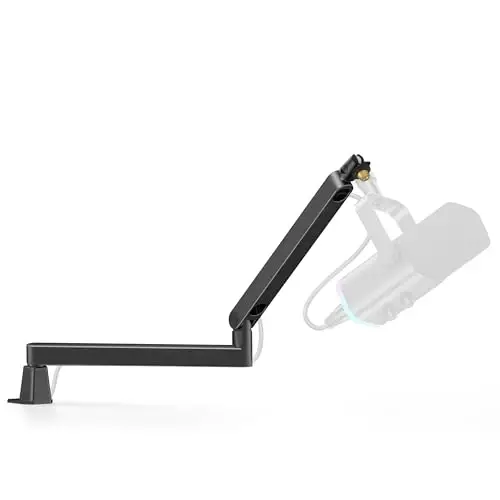
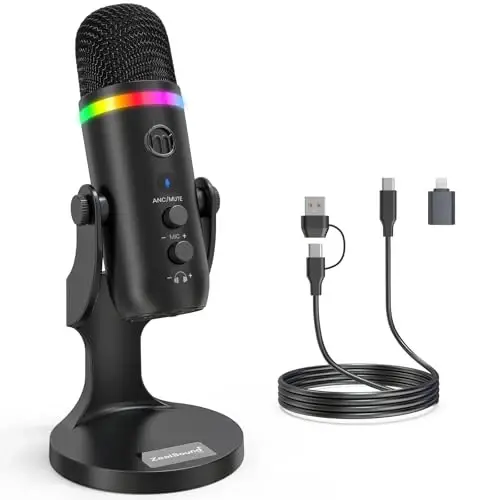
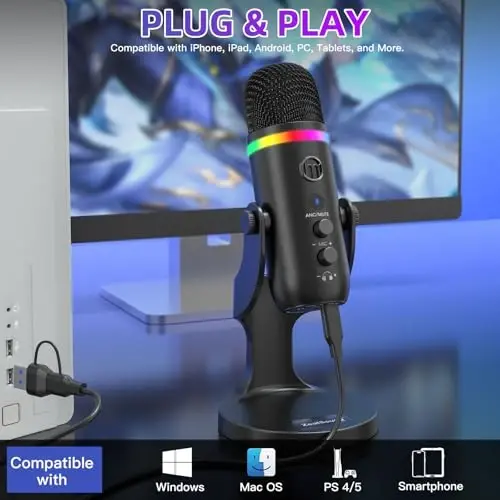
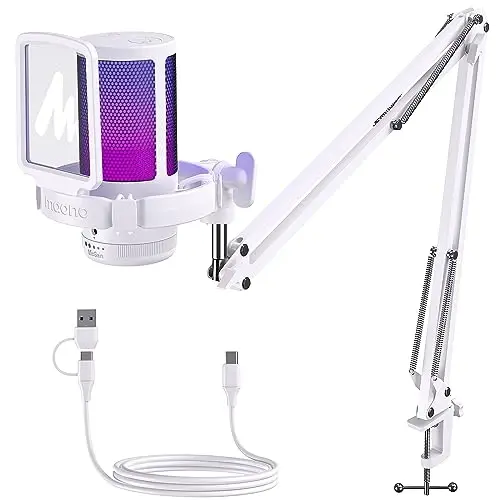
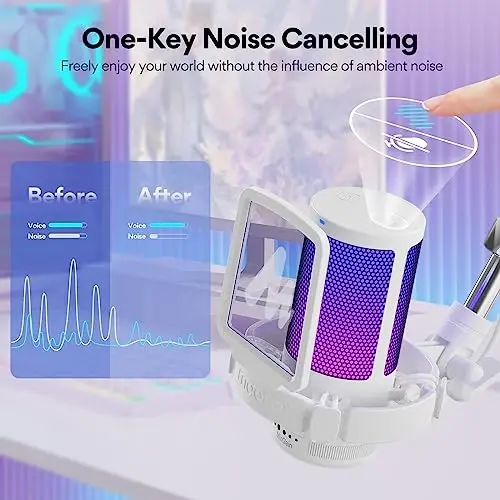
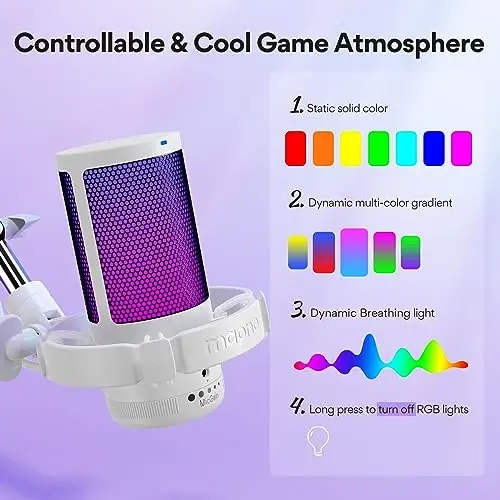
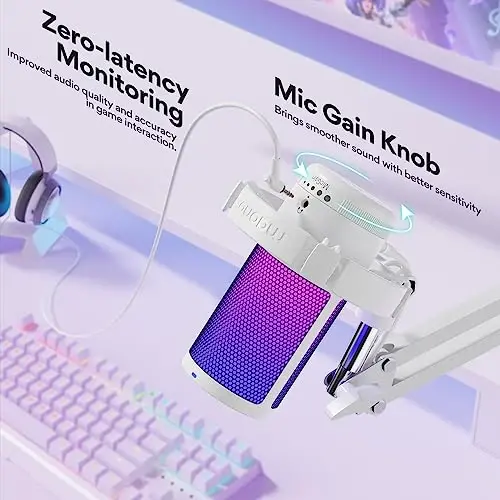
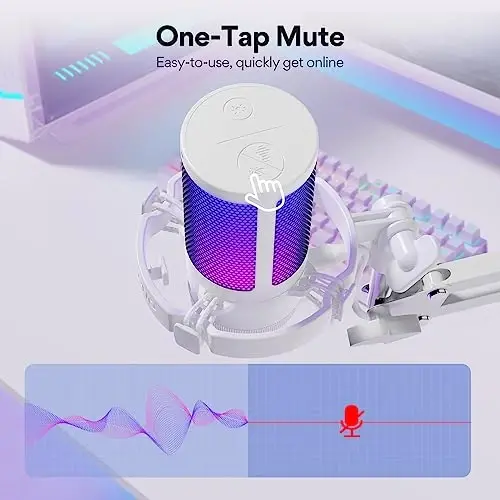
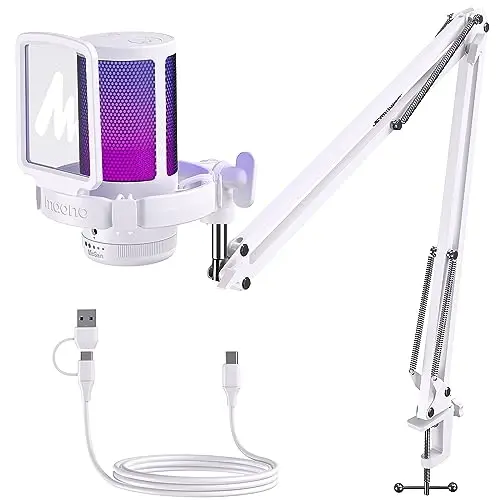
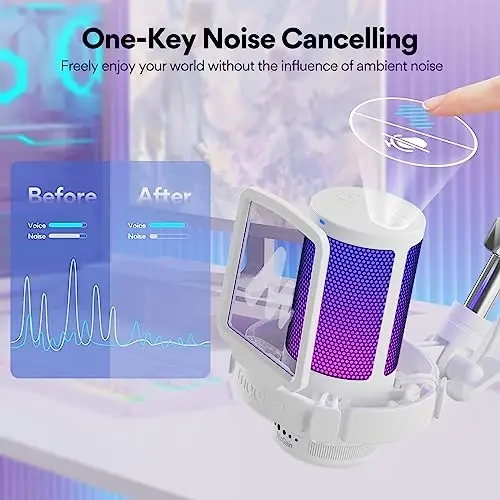
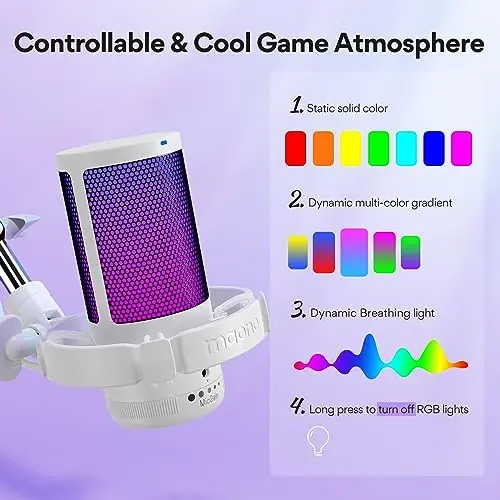
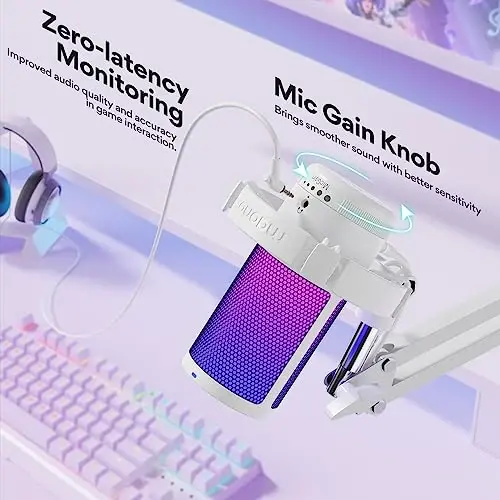
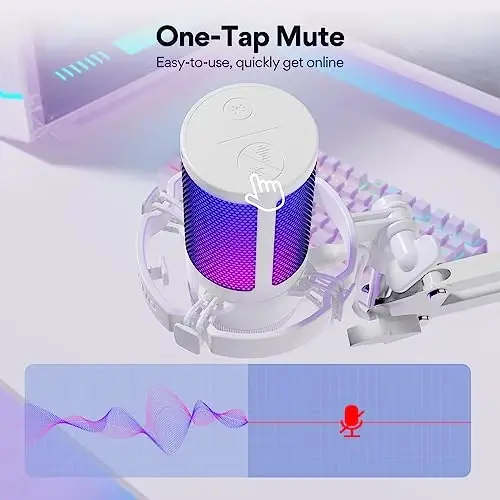
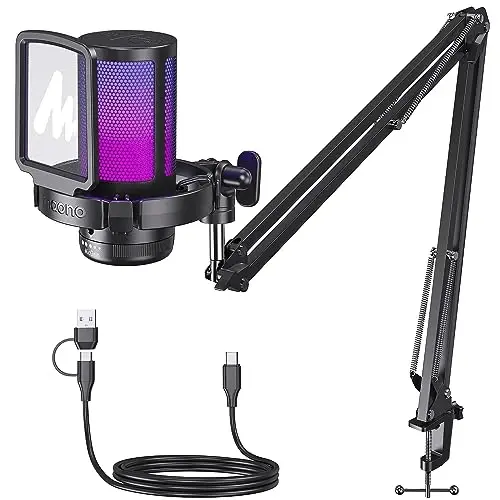
MAONO USB Gaming Microphone with Noise Cancellation, GamerWave DGM20S modeli, oyun deneyiminizi ve yayınlarınızı bir üst seviyeye taşıyacak profesyonel bir çözümdür. Bu bilgisayar mikrofonu, özellikle oyun tutkunları, yayıncılar, podcast yapımcıları ve Discord kullanıcıları için tasarlanmıştır. Yüksek kaliteli ses yakalama, gelişmiş özellikler ve şık tasarımı bir araya getiren bu mikrofon, size üstün bir performans sunar. Maono GamerWave DGM20S USB gaming mikrofonu, etkileyici RGB aydınlatması, gürültü engelleme özelliği, boom arm standı ve kolay kullanımı ile öne çıkar. İster podcast hazırlayın, ister YouTube videoları çekin, ister Twitch üzerinden canlı yayın yapın, bu mikrofon her türlü ihtiyacınızı karşılayacak şekilde tasarlanmıştır. MAONO USB Gaming Microphone with Noise Cancellation sayesinde, net ve anlaşılır ses kalitesi ile fark yaratın.Oyun oynarken veya yayın yaparken en önemli unsurlardan biri, sesinizin net ve anlaşılır bir şekilde iletilmesidir. Maono GamerWave DGM20S, tek tıklamayla etkinleştirilebilen gürültü engelleme teknolojisi sayesinde, arka plandaki rahatsız edici sesleri ortadan kaldırır. Böylece, ister çok oyunculu online oyunlarda takım arkadaşlarınızla iletişim kurun, ister canlı yayınlarınızda izleyicilerinizle etkileşimde bulunun, sesiniz her zaman berrak ve anlaşılır olacaktır. Bu özellik, özellikle rekabetçi oyunlarda ve işbirliğine dayalı projelerde büyük bir avantaj sağlar.Maono GamerWave DGM20S, kişiselleştirilebilir RGB aydınlatma efektleriyle de dikkat çeker. Mikrofon üzerindeki RGB ışıklarını, oyun temanıza veya yayın stilinize uygun olarak değiştirebilirsiniz. Toplamda 9 farklı RGB aydınlatma modu arasından seçim yapabilir, yumuşak ve uyumlu ışık efektleriyle oyun videolarınızı veya canlı yayınlarınızı daha çekici hale getirebilirsiniz. Ayrıca, RGB ışıklarını tamamen kapatmak isterseniz, tek bir tuşa basarak bu özelliği devre dışı bırakabilirsiniz. Bu özellik, özellikle görsel olarak etkileyici içerikler üretmek isteyen yayıncılar için idealdir.Kullanım kolaylığı da Maono GamerWave DGM20S'in öne çıkan özelliklerinden biridir. Mikrofonun üst kısmında bulunan tek tıklamayla sessize alma butonu sayesinde, anında sesinizi kapatabilir ve tekrar açabilirsiniz. Bu özellik, özellikle canlı yayınlar sırasında ani durumlarda veya özel görüşmeler yapmanız gerektiğinde çok işinize yarar. Ayrıca, mikrofon üzerindeki gain ayar düğmesi ile ses seviyenizi kolayca kontrol edebilirsiniz. Bu sayede, sesinizin çok yüksek veya çok düşük olmasını engelleyebilir, her zaman ideal bir ses seviyesinde yayın yapabilirsiniz. Sıfır gecikmeli monitoring özelliği ise, kendi sesinizi gerçek zamanlı olarak dinlemenizi sağlar, böylece profesyonel ses kalitesini kolayca koruyabilirsiniz.Maono GamerWave DGM20S, tak ve çalıştır özelliği sayesinde, herhangi bir ek sürücüye ihtiyaç duymadan kolayca kurulabilir. Mikrofonu USB veya USB-C kablosu ile bilgisayarınıza, laptopunuza veya PS5/4 konsolunuza bağlamanız yeterlidir. Windows PC, Mac ve PS5/4 ile uyumlu olan bu mikrofon, size anında kayıt veya yayın yapma imkanı sunar. (Not: XBOX ile uyumlu değildir.) Bu özellik, özellikle teknik kurulumlarla uğraşmak istemeyen kullanıcılar için büyük bir avantajdır.Sağlam ve esnek boom arm standı, Maono GamerWave DGM20S'in bir diğer önemli özelliğidir. Kolayca ayarlanabilen metal arm standı, farklı kurulumlara uyum sağlar ve mikrofonu istediğiniz konuma getirmenize olanak tanır. Kullanmadığınız zamanlarda ise, standı katlayarak yerden tasarruf edebilirsiniz. Şok emici montaj aparatı, oyun sırasında oluşan makine gürültüsünü ve titreşimleri azaltırken, çıkarılabilir pop filtre ise istenmeyen nefes seslerini engelleyerek daha temiz bir ses kaydı yapmanızı sağlar. Bu özellikler, profesyonel kalitede ses kayıtları yapmanızı kolaylaştırır.
Ürün Özellikleri
Ek Bilgiler
MAONO USB Gaming Microphone with Noise Cancellation, GamerWave DGM20S, size üstün ses kalitesi, kullanım kolaylığı ve şık bir tasarım sunar. İster oyun oynayın, ister yayın yapın, ister podcast hazırlayın, bu mikrofon her türlü ihtiyacınızı karşılayacak şekilde tasarlanmıştır. Paket içeriğinde bulunan tüm aksesuarlar sayesinde, mikrofonu hemen kullanmaya başlayabilirsiniz. Ürünle birlikte gelen kullanım kılavuzu, mikrofonun tüm özelliklerini ve nasıl kullanacağınızı ayrıntılı olarak anlatır. Daha fazla bilgi ve destek için, Maono'nun resmi web sitesini ziyaret edebilirsiniz. Ayrıca, ürünle ilgili sıkça sorulan sorulara ve çözümlere de web sitesinden ulaşabilirsiniz. Maono, müşteri memnuniyetini ön planda tutar ve her türlü sorunuz için size yardımcı olmaktan memnuniyet duyar.
 MAONO
MAONO
 %100 Orijinal Ürün
 %100 Güvenli Ödeme
 14 Gün İçinde İade İmkanı
 7-10 İş Gününde Teslimat
 Benzer Ürünler
Bu ürünün benzerleri!
Benzer Ürünler
Bu ürünün benzerleri!
 Kombini Tamamla
Kombin ürünlerini gör!
Kombini Tamamla
Kombin ürünlerini gör!
 Ürün Yorumları
Yorumları görün!
Ürün Yorumları
Yorumları görün!
 Whatsapp Destek
 Telegram Destek

 Beden Tablosu